

Introduction
Many nursing students can run SPSS tests through menus, but later struggle to remember exactly what they clicked. This becomes a serious problem when a supervisor asks for revisions, a table must be corrected, a recode must be repeated, or the same analysis must be rerun after cleaning the dataset.
The issue is not always the statistical test. Often, the problem is documentation. A student may forget whether missing values were defined, whether a filter was active, whether a reverse-coded item was corrected, whether cases were excluded, or whether the final APA table came from the correct output file.
SPSS syntax solves this problem by saving the commands behind SPSS procedures. It allows students to review, rerun, edit, document, and defend their analysis steps. This is especially useful for nursing dissertations, DNP projects, MSN capstones, PhD studies, public health projects, clinical audits, and quality improvement reports where results must be transparent and repeatable.
SPSS syntax for nursing dissertation work does not require advanced programming. Students can begin by using SPSS menus, clicking Paste, saving the syntax file, and rerunning commands when corrections are needed.
Need help reviewing your SPSS syntax or output? Our SPSS Data Analysis Help service can check your commands, rerun analyses, interpret output, and prepare APA-style results for your nursing research.
What Is SPSS Syntax?
SPSS syntax is the command language SPSS uses to run procedures, transform variables, define labels, analyze data, and create output. IBM explains that users can generate command syntax by pasting selections from SPSS dialog boxes into a syntax window (IBM, n.d.-a).
In simple terms, syntax is a saved written record of what SPSS was asked to do. Instead of relying only on memory, screenshots, or menu clicks, the student keeps a command file that shows the analysis path.
SPSS syntax can document:
- Frequencies
- Descriptive statistics
- Value labels
- Missing-value settings
- Recoding
- Reverse coding
- Compute variables
- t-tests
- ANOVA
- Correlation
- Regression
- Charts
- Output options
The goal is not to turn nursing students into programmers. The goal is to make SPSS work easier to repeat, check, revise, and report accurately.
Why SPSS Syntax Matters in Nursing Research
SPSS syntax matters because nursing research often involves repeated, reviewable, and correction-sensitive work. A student may need to code demographic variables, compute medication adherence scores, reverse-code satisfaction items, compare pretest and posttest scores, summarize patient outcomes, or rerun an analysis after supervisor feedback.
Without syntax, students often rely on memory. That creates risk. They may repeat the wrong menu steps, select different options, forget a missing-value rule, or produce output that does not match the original results.
Syntax helps because it:
- Records exactly what was done
- Allows the same procedure to be rerun
- Reduces repeated menu-clicking errors
- Documents supervisor revisions
- Shows how recoded variables were created
- Shows how computed scores were created
- Confirms which variables were used
- Supports transparent data preparation
- Saves time when analyzing many variables
Nursing research methods require careful data handling because evidence-based conclusions depend on the quality, consistency, and interpretation of research data (Gray et al., 2025). Syntax supports that process by preserving the analysis path.
The National Academies defines reproducibility as obtaining consistent results using the same input data, computational steps, methods, code, and conditions of analysis (National Academies of Sciences, Engineering, and Medicine, 2019). SPSS syntax supports reproducibility because it saves the commands that produced the output.
SPSS Syntax vs Menus
For beginners, SPSS menus are useful. They allow students to choose variables, tick options, request statistics, and run procedures without writing commands manually.
SPSS syntax is different. It shows the command behind the menu choice.
For example, a student may use the menu to run frequencies for gender and education level. If the student clicks OK, SPSS runs the output. If the student clicks Paste, SPSS sends the command to the syntax window, where it can be saved, reviewed, edited, and rerun.
A strong beginner workflow is:
- Use the SPSS menu.
- Select the correct variables and options.
- Click Paste instead of immediately clicking OK.
- Review the command in the syntax window.
- Highlight and run the command.
- Check the output.
- Save the syntax file with the project.
Syntax does not replace statistical understanding. It documents and repeats the procedure selected by the student.
How to Use SPSS Syntax Without Being a Programmer
Many students avoid syntax because it looks like programming. In practice, beginners can use syntax without writing commands from scratch.
The easiest way to learn how to use SPSS syntax is to let SPSS generate the first command. Choose the procedure from the menu, select the variables, click Paste, and then study what SPSS created.
For example, instead of memorizing the command for frequencies, a nursing student can go to:
Analyze → Descriptive Statistics → Frequencies → select variables → Paste
SPSS places the command in the syntax editor. The student can then run it, save it, and reuse it later.
This workflow helps students learn gradually. They do not need to master every SPSS syntax command before they can benefit from syntax. They only need to know how to paste, run, save, and organize the commands they use.
When Nursing Students Should Use SPSS Syntax
Nursing students should use syntax whenever they need a clear record of their SPSS work.
Use syntax when:
- You need to repeat an analysis
- You are recoding several variables
- You are computing scale scores
- You are defining missing values
- You are reverse-coding questionnaire items
- You need to document all analysis steps
- You expect supervisor feedback
- You need to rerun analysis after data corrections
- You are checking many questionnaire items
- You want to avoid forgetting selected options
- You need an audit trail for dissertation analysis
For example, a student studying a patient education intervention may save syntax for demographic summaries, missing-value definitions, knowledge-score computation, satisfaction-scale scoring, and pretest-posttest testing.
Syntax is especially helpful when results must be revised. Instead of starting from memory, the student opens the saved syntax file and reruns the exact command.
How to Generate SPSS Syntax From Menus
The Paste button is one of the most useful tools for beginners. IBM describes pasting syntax from SPSS dialog boxes as an easy way to build a command syntax file (IBM, n.d.-a).
Follow these steps:
- Open your dataset in SPSS.
- Choose the analysis or transformation from the menu.
- Select the variables and options.
- Click Paste instead of OK.
- SPSS opens a syntax window.
- Review the command.
- Highlight the command.
- Click Run.
- Check the output.
- Save the syntax file.
For nursing students, this reduces guesswork. The syntax file becomes a record of what produced the output, which matters when results must be revised, defended, or reported.
Understanding the SPSS Syntax Window
The SPSS syntax window is separate from the Data View and Output Viewer. It contains the commands you run.
Important basics include:
- Commands usually end with a period.
- Selected commands can be run without running the full file.
- Comments can explain what each section does.
- Syntax files are usually saved as
.spsfiles. - Syntax files should be saved separately from output files.
- Commands should be organized by analysis stage.
IBM’s syntax rules explain that commands must end with a command terminator, usually a period, and that subcommands are commonly separated by forward slashes (IBM, n.d.-b).
A useful syntax file is not just a technical file. It is a written analysis trail.
How SPSS Syntax Files Work
An SPSS syntax file is a saved file containing commands. IBM explains that syntax files can be created in the syntax editor or another text editor, and command syntax can also be generated by pasting dialog box selections into a syntax window (IBM, n.d.-c).
A syntax file is different from:
- The dataset file, usually saved as
.sav - The output file, usually saved as
.spv - The exported Word or PDF results file
- The dissertation results chapter
A good project folder may include:
- raw_dataset_original.sav
- clean_dataset_analysis_ready.sav
- data_preparation_syntax.sps
- descriptive_analysis_syntax.sps
- final_analysis_output.spv
- apa_results_tables.docx
This structure helps students avoid confusion when supervisors request changes. It also makes it easier to identify which dataset, syntax file, and output file belong together.
Basic SPSS Syntax Examples for Nursing Students
The following examples show what SPSS syntax commands look like. These are not meant to replace the full SPSS command reference. They show how syntax documents common nursing research tasks.
Frequencies
FREQUENCIES VARIABLES=gender education treatment_group.
This command runs frequency tables for categorical variables. A nursing student may use it to summarize gender, education level, treatment group, employment status, ward, or diagnosis category.
Use this command to check whether each category appears correctly and whether unexpected codes are present.
Descriptive Statistics
DESCRIPTIVES VARIABLES=age pain_score pretest_score posttest_score
  /STATISTICS=MEAN STDDEV MIN MAX.
This command requests the mean, standard deviation, minimum, and maximum for continuous variables. A nursing student may use it for age, pain score, length of stay, pretest score, posttest score, or satisfaction score.
The minimum and maximum values also help detect possible coding or entry problems.
Value Labels
VALUE LABELS gender
  1 'Male'
  2 'Female'
  3 'Prefer not to say'.
This command labels numeric codes. The data still contain numbers, but SPSS output becomes easier to read.
Value labels are useful for demographics, clinical categories, questionnaire responses, audit outcomes, and grouped variables.
Missing Values
MISSING VALUES q1 TO q10 (99).
This command tells SPSS that 99 represents missing data for questionnaire items q1 through q10.
This matters because SPSS should not treat 99 as a real Likert-scale score. Missing-value commands help protect the accuracy of summaries and later analysis.
Recode
RECODE age (18 THRU 34=1) (35 THRU 49=2) (50 THRU HI=3) INTO age_group.
EXECUTE.
This command recodes age into three age groups.
The original age variable is preserved because the grouped variable is created as age_group. This is safer than overwriting the original age variable.
Compute Variable
COMPUTE knowledge_change = posttest_score - pretest_score.
EXECUTE.
This command creates a change score by subtracting the pretest score from the posttest score.
A positive value means the posttest score is higher than the pretest score. The student should still check whether this direction matches the study’s scoring plan.
Using SPSS Syntax for Data Preparation
SPSS syntax can document data preparation before analysis. It can show how the dataset was labeled, how missing values were defined, how variables were recoded, and how computed scores were created.
Syntax can document:
- Defining value labels
- Defining missing-value codes
- Recoding categories
- Reverse-coding items
- Computing total scores
- Computing mean scores
- Computing change scores
- Checking variable ranges
- Running frequencies to identify unusual codes
For example, a medication adherence scale may include eight Likert items. Syntax can show how missing values were defined, whether any item was reverse-coded, and how the final adherence score was computed.
Syntax does not replace correct coding decisions. It records them. For more detail on recoding, reverse coding, missing-value coding, and computed variables, see SPSS Coding.
After syntax-based preparation, use Data Cleaning Steps in Nursing Research to check out-of-range values, missing-value problems, duplicates, and inconsistencies.
Using SPSS Syntax for Descriptive Analysis
SPSS syntax is useful for descriptive analysis because the same summaries may be needed for many variables.
Syntax can document:
- Frequencies for categorical variables
- Means for continuous variables
- Standard deviations
- Minimum and maximum values
- Missing-value counts
- Cross-tabulations where useful
For example, a nursing dissertation may need frequencies for gender, education, employment status, diagnosis category, and treatment group. It may also need means and standard deviations for age, blood pressure, pain score, length of stay, knowledge score, or satisfaction score.
For deeper guidance on summaries after dataset preparation, see Descriptive Data Analysis in Nursing Research.
Using SPSS Syntax for Statistical Test Documentation
SPSS syntax can document statistical tests, but this article is not a statistical-testing guide. The purpose here is to show how syntax records the variables, options, and procedures used to produce output.
Syntax can document commands for:
- Paired-samples t-test
- Independent-samples t-test
- Chi-square test
- Correlation
- ANOVA
- Regression
Example:
T-TEST PAIRS=pretest_score WITH posttest_score (PAIRED).
This command documents that pretest and posttest scores were compared for the same participants.
A syntax file helps the student answer practical questions:
- Which variables were used?
- Was the correct grouping variable selected?
- Was the test rerun after data corrections?
- Did the output come from the final dataset?
- Which command produced the table being reported?
The syntax does not decide whether the test is appropriate. The research question, design, variables, and assumptions still guide that decision.
SPSS Syntax and APA Reporting
SPSS syntax does not write APA results automatically, but it helps students report results accurately.
APA-style reporting requires the student to match the written result to the correct output. Syntax helps by showing which command produced that output. This is important when several versions of the analysis exist.
For example, a student may have one output before data cleaning and another output after missing values were corrected. If the syntax file is saved clearly, the student can identify which output belongs to the final analysis.
SPSS syntax APA reporting support is useful when writing:
- Demographic tables
- Descriptive statistics paragraphs
- Reliability results
- t-test results
- ANOVA results
- Correlation results
- Regression summaries
- Appendix documentation
The syntax file should not be copied into the results chapter unless required. Its main role is to support accuracy, traceability, and revision.
How Syntax Helps With Supervisor Revisions
Supervisor feedback is easier to handle when the original syntax is saved.
A practical revision workflow looks like this:
- The supervisor asks for an analysis to be rerun.
- The student opens the saved syntax file.
- The student finds the original command.
- The student checks the active dataset.
- The student edits the variable list, options, labels, or recoding step.
- The student reruns the command.
- The student compares the revised output with the earlier output.
- The student updates APA results accurately.
This prevents guessing. It also helps the student explain what changed between the earlier analysis and the revised analysis.
For example, a supervisor may ask a student to rerun a paired-samples t-test after excluding incomplete cases. If the syntax file is saved, the student can revise the missing-value handling or case-selection step and rerun the analysis more confidently.
If your supervisor requested SPSS revisions and you are unsure which commands produced the output, our Dissertation Data Analysis Help service can review your syntax, output, dataset, and rubric before you revise your results chapter.
How to Save and Organize SPSS Syntax Files
A syntax file is most useful when it is saved and organized clearly.
Use clear file names such as:
- medication_adherence_data_prep.sps
- dissertation_descriptive_analysis_v1.sps
- pretest_posttest_analysis_revised.sps
- final_analysis_after_supervisor_feedback.sps
- cleaned_dataset_final_syntax.sps
Keep syntax files in the same project folder as the dataset and output. Use dates or version numbers when revisions are made.
Good syntax organization may include sections such as:
- Dataset labels and value labels
- Missing-value definitions
- Recoding and reverse coding
- Computed variables
- Descriptive statistics
- Assumption checks
- Main tests
- Revised analyses after feedback
Use comments before major sections:
* Descriptive statistics for demographic variables.
FREQUENCIES VARIABLES=gender education employment.
The line beginning with an asterisk is a comment. It helps the student, supervisor, or analyst understand what the next command is supposed to do.
Common SPSS Syntax Mistakes
Common mistakes include:
- Forgetting the period at the end of a command
- Running only part of a command
- Editing variable names incorrectly
- Using syntax from an old dataset
- Running syntax on the wrong active dataset
- Overwriting variables without saving originals
- Forgetting to save the syntax file
- Failing to organize commands by section
- Not adding comments
- Assuming syntax fixes poor test selection
- Reporting output without checking the correct variables
- Using old output after revising the syntax
Most syntax errors can be corrected. The important step is to read the error message, check the variable names, confirm the active dataset, and rerun the corrected command.
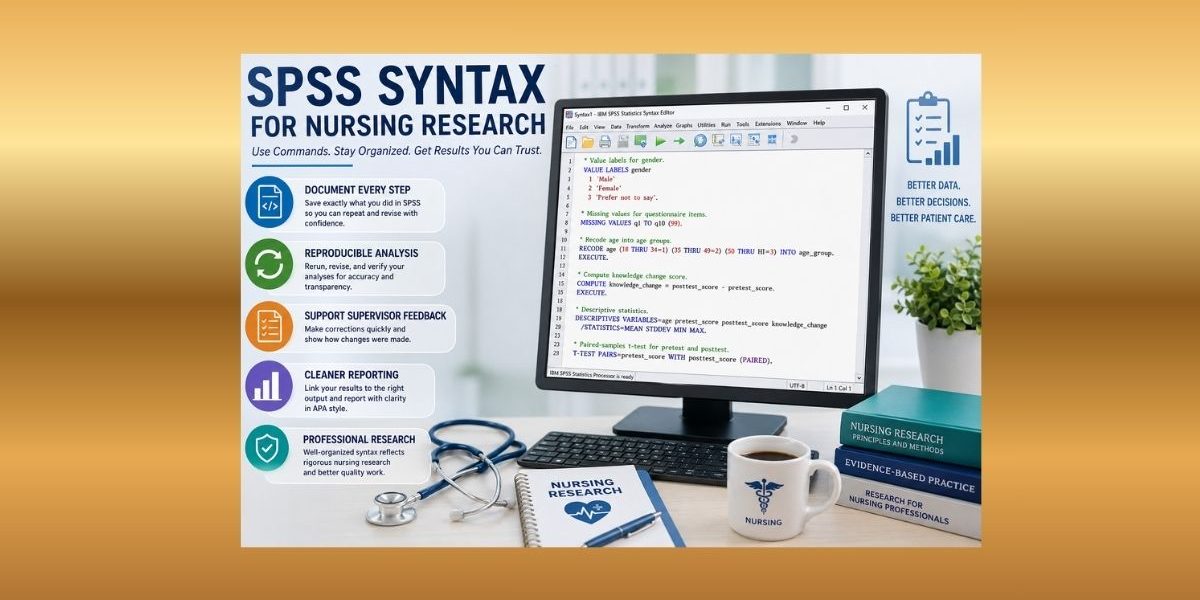
SPSS Syntax Example for Nursing Research
A nursing student evaluates a patient education intervention using demographic variables, a 10-item knowledge questionnaire, pretest and posttest scores, and a patient satisfaction scale.
The syntax file may document:
* Value labels for gender.
VALUE LABELS gender
  1 'Male'
  2 'Female'
  3 'Prefer not to say'.

* Missing values for questionnaire items.
MISSING VALUES know_q1 TO know_q10 sat_q1 TO sat_q5 (99).

* Compute knowledge change score.
COMPUTE knowledge_change = posttest_score - pretest_score.
EXECUTE.

* Descriptive statistics.
DESCRIPTIVES VARIABLES=age pretest_score posttest_score knowledge_change
  /STATISTICS=MEAN STDDEV MIN MAX.

* Paired-samples test for pretest and posttest scores.
T-TEST PAIRS=pretest_score WITH posttest_score (PAIRED).
This example documents several important steps. The value-label command explains gender coding. The missing-value command tells SPSS that 99 is not a real questionnaire score. The compute command creates a change score. The descriptives command summarizes key continuous variables. The paired-samples command records the pretest-posttest comparison.
If the supervisor later asks for revisions, the student can edit the saved syntax instead of trying to remember the original menu steps.
Checklist for Reviewing an SPSS Syntax File
Before using SPSS output in a dissertation or capstone report, review the syntax file.
Check that:
- The correct dataset was active
- Variable names match the dataset
- Commands end with periods
- Missing-value rules are correct
- Recoded variables preserve the original data
- Computed variables use the correct formula
- Comments explain major sections
- The final output matches the final syntax
- Old syntax versions are not confused with final versions
- The APA results are based on the correct output
This checklist helps prevent reporting errors caused by old commands, old datasets, or untracked revisions.
When to Get Help With SPSS Syntax
Students may need support when syntax errors keep appearing, commands run but output looks wrong, variable names do not match the dataset, recoding commands are confusing, or computed variables are not calculating correctly.
Help is also useful when supervisor revisions require rerunning analysis, output must be traced back to commands, APA reporting must match correct output, or several SPSS files and syntax versions need to be organized.
Professional SPSS Data Analysis Help can support syntax review, output interpretation, command correction, analysis reruns, and APA-style reporting.
Conclusion
SPSS syntax helps nursing students make data analysis more accurate, organized, reproducible, and easier to revise. It saves commands, documents recoding, tracks analysis choices, supports output review, and helps students respond to supervisor feedback with confidence.
Students do not need to become programmers. They can start by using the Paste button, running simple commands, saving syntax files, and organizing commands by data preparation, descriptive analysis, and main tests.
For nursing dissertation, DNP, capstone, thesis, clinical audit, and quality improvement projects, SPSS syntax creates a clear analysis trail. It helps students avoid guessing, rerun procedures after corrections, and connect APA-style reporting to the correct output.
Need your SPSS syntax checked before final submission? Upload your dataset, syntax file, output, research questions, and rubric through our SPSS Data Analysis Help page for support with commands, output interpretation, revisions, and APA-style reporting.
FAQs
What is SPSS syntax?
SPSS syntax is the command language SPSS uses to run procedures, transform variables, define labels, analyze data, and produce output.
Do I need to know programming to use SPSS syntax?
No. Beginners can generate syntax from SPSS menus by selecting variables and options, then clicking Paste.
How do I generate syntax in SPSS?
Open a procedure from the SPSS menu, choose your variables and options, then click Paste. SPSS will place the command in a syntax window.
Why should nursing students save SPSS syntax files?
Saved syntax files help students rerun analyses, document methods, correct supervisor feedback, and confirm which commands produced the final output.
Can SPSS syntax help with dissertation revisions?
Yes. Syntax makes revisions easier because the original commands are visible, editable, and reusable. This helps students rerun analyses and update APA-style results accurately.
References
Gray, J. R., Grove, S. K., & Cipher, D. J. (2025). Burns & Grove’s the practice of nursing research: Appraisal, synthesis, and generation of evidence (10th ed.). Elsevier.
IBM. (n.d.-a). Pasting syntax from the IBM SPSS Statistics client application. IBM SPSS Statistics Documentation.
IBM. (n.d.-b). Syntax rules and guidelines. IBM SPSS Statistics Documentation.
IBM. (n.d.-c). Syntax files. IBM SPSS Statistics Documentation.
National Academies of Sciences, Engineering, and Medicine. (2019). Reproducibility and replicability in science. The National Academies Press.
